



How Tesla Software Updates Improve Your Driving Experience
Did you know over 90% of modern car features are controlled by digital code? This change makes your car a dynamic platform that gets smarter every day.
Being able to update your car with new tech is a big plus. Tesla software updates bring new features to your car even after it’s made. This keeps your car up-to-date, efficient, and safe without needing a service center visit.
Want to know how these digital updates affect your daily drive? Check out a Tesla Model 3 review to see the benefits. Understanding these updates is key for any driver wanting to get the most from their car. I’ll dive into how these changes work and why they matter for your car’s future.
Key Takeaways
- Vehicles now function as evolving platforms that improve through digital enhancements.
- Wireless delivery of new features eliminates the need for frequent service center visits.
- Performance, safety, and infotainment systems benefit directly from regular system refinements.
- Modern ownership feels fresh because your car gains new capabilities over time.
- Staying current with digital improvements keeps your vehicle competitive in a fast-paced market.
What Are Tesla Software Updates?
One of the coolest things about owning a Tesla is how it keeps getting better with wireless updates. These updates make sure my car stays up-to-date, not outdated. It turns into a dynamic, connected machine that gets better over time.
Overview of Software Updates
Tesla software updates are like magic downloads for your car. They use Wi-Fi or cellular to update your car without needing a service center visit. This means your car can update itself while parked at home.
These tesla firmware upgrades make owning a car a whole new experience. They can improve everything from the battery range to the climate controls. It’s amazing how a car can feel like new years later.
Purpose of Regular Updates
The main reason for these updates is to keep your car in optimal condition. They fix software issues and make the car run better. This keeps your car safe and efficient, unlike traditional cars that lose value fast.
Also, these tesla firmware upgrades add new features that weren’t there before. You get better entertainment and driving help. Keeping your car updated is the best way to get the most out of it.
How Software Updates Work
My car’s updates are a marvel of technology. It gets better without needing a service center visit. These tesla software updates come straight to my car. This means I always have the newest features and security fixes.
Over-the-Air Technology Explained
At the core is Over-the-Air (OTA) technology. It lets my car connect to a secure network. There, it checks for tesla firmware upgrades on its own.
Once it finds an update, my car downloads it quietly. This way, I can keep driving without any issues. It’s a seamless experience that keeps my car feeling new.
Download and Installation Process
The update process has two parts for safety. First, my car downloads the update while I drive. It manages data to keep my ride smooth.
After downloading, the car installs the update while parked. It takes about 15 to 30 minutes. I just need to park safely before starting the final step.
| Phase | Vehicle Status | Duration |
|---|---|---|
| Download | Driving or Parked | Variable (Background) |
| Installation | Must be in Park | 15-30 Minutes |
| Completion | Ready to Drive | Instant |
Enhancements to Vehicle Performance
One of the most impressive things about owning a Tesla is how tesla software improvements can change the car’s performance. My car feels more responsive and capable than when I first got it. These digital updates show that a modern car is more than just its parts.

Boosting Acceleration and Range
Regular tesla software enhancements have given my car a big boost in acceleration. In some cases, these updates can make my car up to 5% faster without changing any hardware. This shows how software can make the electric drivetrain work better.
These updates also make my car more efficient. When I plan long trips, I use tesla charging stations near me to keep my car moving. The software helps me get the most range from each charge.
Improved Handling and Stability
It’s amazing to see how tesla software updates and tesla firmware upgrades can improve handling. By tweaking torque distribution and suspension, the car handles better during fast driving. These tesla firmware upgrades make the car more stable on curvy roads.
The table below shows how these digital updates affect the car’s performance:
| Performance Metric | Pre-Update State | Post-Update State |
|---|---|---|
| Acceleration | Standard Factory Output | Up to 5% Increase |
| Energy Efficiency | Baseline Consumption | Optimized Range |
| Handling Dynamics | Factory Calibration | Refined Stability |
| Drivetrain Response | Initial Mapping | Enhanced Responsiveness |
Adding New Features and Functions
Having a Tesla is exciting because it keeps getting better. The tesla software updates come wirelessly and often. They make sure my car stays up-to-date and meets my needs.
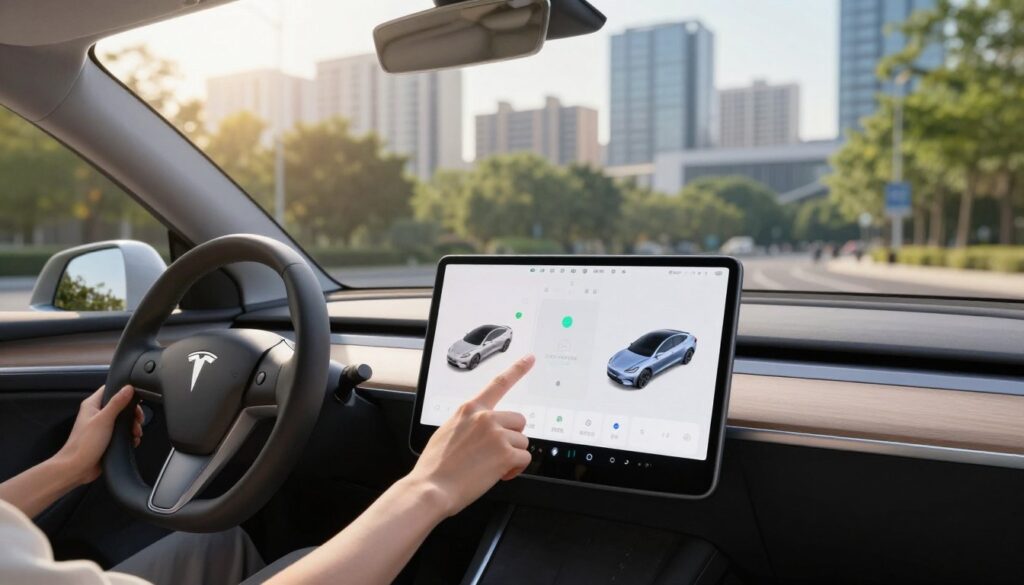
Enhanced Media and Entertainment Options
My car feels like a personal lounge now. The tesla vehicle software lets me stream services like Spotify. It’s amazing how easy it is to find what I want to listen to.
“The best software is the software that gets better over time, and that is exactly what we aim to deliver to every driver.”
Introducing New Driving Modes
My car has features that make my life easier. Dog Mode keeps my pet safe when I’m away. It shows a message to others, keeping everyone safe.
Smart Summon and Autopilot Improvements
My car gets better at driving thanks to tesla autonomous driving updates. Smart Summon helps me park in tight spots. I learn about the tech behind it at Tesla Autopilot explained. It makes driving more confident for me.
Safety Features and Security Enhancements
Keeping my data and physical safety is key in today’s cars. Tesla software improvements add a vital layer of protection. They grow with new road challenges. By staying connected, my car gets the latest safety features.

Updates to Advanced Driver-Assistance Systems
My driving is safer thanks to tesla autonomous driving updates. These updates make the car better at handling environmental data. For example, the Automatic Emergency Braking (AEB) system works better now.
It can now stop at speeds up to 200 km/h. This makes driving on highways safer. Also, it works when I’m reversing, helping avoid accidents in parking lots. These tesla autonomous driving updates show how software can lower crash risks.
Addressing Software Vulnerabilities
I also appreciate the strong security in my tesla vehicle software. The maker sends security updates to fix system gaps. This keeps my data and car controls safe from hackers.
Updating my tesla vehicle software is easy and gives me peace of mind. It keeps my car safe from cyber threats. Here’s how these tesla software updates improve my safety.
| Safety Feature | Initial Capability | Post-Update Capability |
|---|---|---|
| Emergency Braking | Standard highway speeds | Up to 200 km/h |
| Reverse Safety | Limited sensors | Full AEB integration |
| Security Protocol | Basic encryption | Advanced threat patching |
| System Reliability | Periodic checks | Real-time monitoring |
User Interface and Experience Enhancements
The inside of my car is more than just seats and a wheel. It’s a digital workspace. The design changes over time, making it easy to use. These tesla software enhancements keep my car feeling new and intuitive.

Revamped Dashboards and Controls
The screen layout changes to show what I need most. When I check out tesla software updates, I see buttons and menus get easier to find. This makes driving smooth and responsive to my needs.
The inside of my car keeps getting better with these updates. By tweaking my tesla vehicle software, I get the latest changes first. Setting my preferences to “Advanced” lets me get updates before others.
Customization Options for Drivers
I love how I can make my car my own. I can change colors and arrange icons to fit my style. It makes every drive feel special.
Managing my tesla vehicle software is easy and rewarding. Here’s how I can tweak my car to make my daily drive better.
| Feature Category | Customization Level | Primary Benefit |
|---|---|---|
| Dashboard Layout | High | Improved Visibility |
| Control Shortcuts | Medium | Faster Access |
| Display Themes | High | Visual Comfort |
| Update Frequency | Advanced | Early Access |
These tesla software updates show Tesla’s commitment to keeping me happy. I know my car will keep getting better. Staying up-to-date is the best way to enjoy my vehicle fully.
The Environmental Impact of Software Updates
Tesla software updates do more than just make my car faster. They help reduce my environmental impact. It’s amazing how my car gets more efficient over time without needing any physical changes.
Improved Energy Efficiency
One big benefit is the better charging curves. These tesla software enhancements make sure energy is used well during charging.
The system also improves how it manages battery temperature. This intelligent regulation boosts daily range and battery life. It keeps the cells at the best temperature, reducing waste during driving and charging.
Reducing Carbon Footprint with Updates
I’m proud that my car’s tesla software features help lower my carbon footprint. It uses energy smarter, needing less electricity to go the same distance as before.
These tesla software updates show Tesla’s commitment to sustainability. They keep the car efficient, making it a cleaner choice for years to come.
| Feature Category | Efficiency Impact | Benefit to Owner |
|---|---|---|
| Charging Protocols | High | Faster, cooler charging |
| Thermal Management | Medium | Extended battery life |
| Power Delivery | High | Increased range per kWh |
| Energy Monitoring | Low | Better usage insights |
These tesla software features show how digital innovation can lead to a greener future. I’m excited to see what future tesla software enhancements will bring for electric vehicle efficiency.
Staying Informed About Updates
Keeping up with my car’s digital updates is key to its best performance. By tracking the latest tesla software version, I make sure my car runs smoothly and safely. This way, I get to enjoy all the new features that come out each year.

How to Check for Updates Regularly
It’s easy to check for new software. I just go to the Controls menu on my screen and click Software to see if there’s an update. For more info on the latest updates, visit tesla software updates.
My car usually tells me when an update is ready. But, I like to check myself too. I make sure my car is connected to Wi-Fi for a smooth update. This way, I never miss out on important improvements.
Understanding Release Notes
When an update comes in, I always read the release notes. They give a comprehensive summary of what’s new or changed. It’s cool to see how these updates improve my driving experience.
The release notes help me learn about new features and settings. By reading them, I can quickly get used to any changes. This keeps me getting the most out of my car.
Community Feedback and Updates
As a driver, I’m always connected to Tesla’s team through feedback. My input makes the car better. This makes tesla software updates match what drivers really need.
Listening to User Suggestions
Tesla listens to its community to innovate. I can report issues easily through voice commands. This helps the company improve without needing a visit.
My feedback helps find bugs and improve the car. Thanks to many drivers, tesla software improvements keep coming. It’s great to know I help make my car better.
Examples of Changes from User Input
Many features I love today started as community requests. The company makes changes based on what we want. These tesla software improvements show they care about our happiness.
The table below shows how feedback shapes each tesla software version:
| Feedback Channel | Primary Purpose | Impact on Updates |
|---|---|---|
| Voice Commands | Reporting technical issues | High (Bug fixes) |
| Mobile App | Feature requests | Medium (New tools) |
| Community Forums | General sentiment | Low (UI adjustments) |
| Service Centers | Hardware-software sync | High (System stability) |
The cycle of tesla software updates keeps my car new and useful. I’m sure as more drivers share, the car will keep getting better.
Future of Tesla Software Updates
I’m excited for a future where my car feels like a partner, not just a machine. With each update, my car gets smarter and more advanced. It’s amazing to see how fast these improvements come.
Artificial intelligence will change how I talk to my car. I hope to see better integration with smart homes and a more user-friendly interior. You can check out upcoming features to see what’s coming.
Anticipated Innovations and Features
Engineers are adding cool stuff like Grok AI and Dolby Atmos sound. These features aim to make driving more fun and personal. Keeping my software up to date helps me enjoy these new features sooner.
The Role of AI in Future Updates
Machine learning is key to my car’s future. I expect tesla’s self-driving tech to get even better. This focus on innovation keeps my car at the forefront of tech.
FAQ
How do I know when a new tesla software version is available for my car?
I usually get a notification on my Tesla app or see an icon on my car’s screen. Checking the ‘Software’ tab in my car settings keeps me up to date.
Can I drive my car while tesla firmware upgrades are being installed?
No, I need to park for 15 to 30 minutes during the install. While the updates download, I can keep driving.
Do tesla software enhancements cost money?
Most tesla software updates are free, focusing on safety and features. But, some upgrades like Performance Boosts or Full Self-Driving might cost extra.
How do tesla autonomous driving updates improve safety?
These updates use data from Tesla cars to improve vision and decision-making. This leads to better collision avoidance and smoother driving.
What should I do if my tesla vehicle software update fails to install?
If an update fails, I try restarting the screen or checking Wi-Fi. If it doesn’t work, I can schedule a service appointment or get remote help.
How do tesla software improvements affect my car’s battery life?
Tesla software enhancements update the battery management system. This helps my battery last longer and charge faster.

Hi! I’m Moheen Iftikhar, founder of CarPulsei. Passionate about cars, innovation, and the future of mobility, I create content that keeps automotive enthusiasts informed. From expert reviews and industry trends to driving tips and practical insights — my goal is to help you navigate the automotive world with confidence.